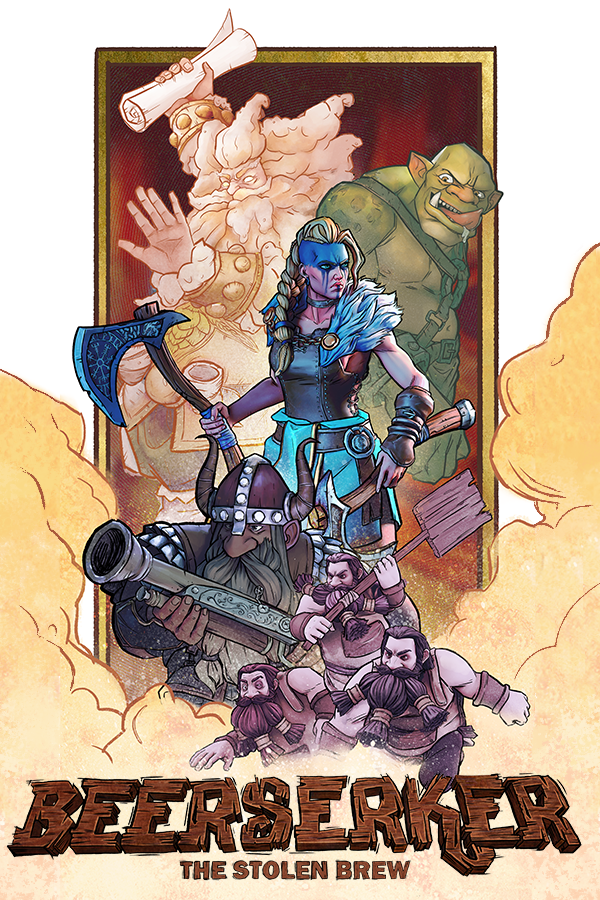
During this project, I had the pleasure of working as a Gameplay Programmer, implement destruction physics
using Chaos, create some particle systems, and lending a hand in a bit of everything alongside an incredibly
talented team.
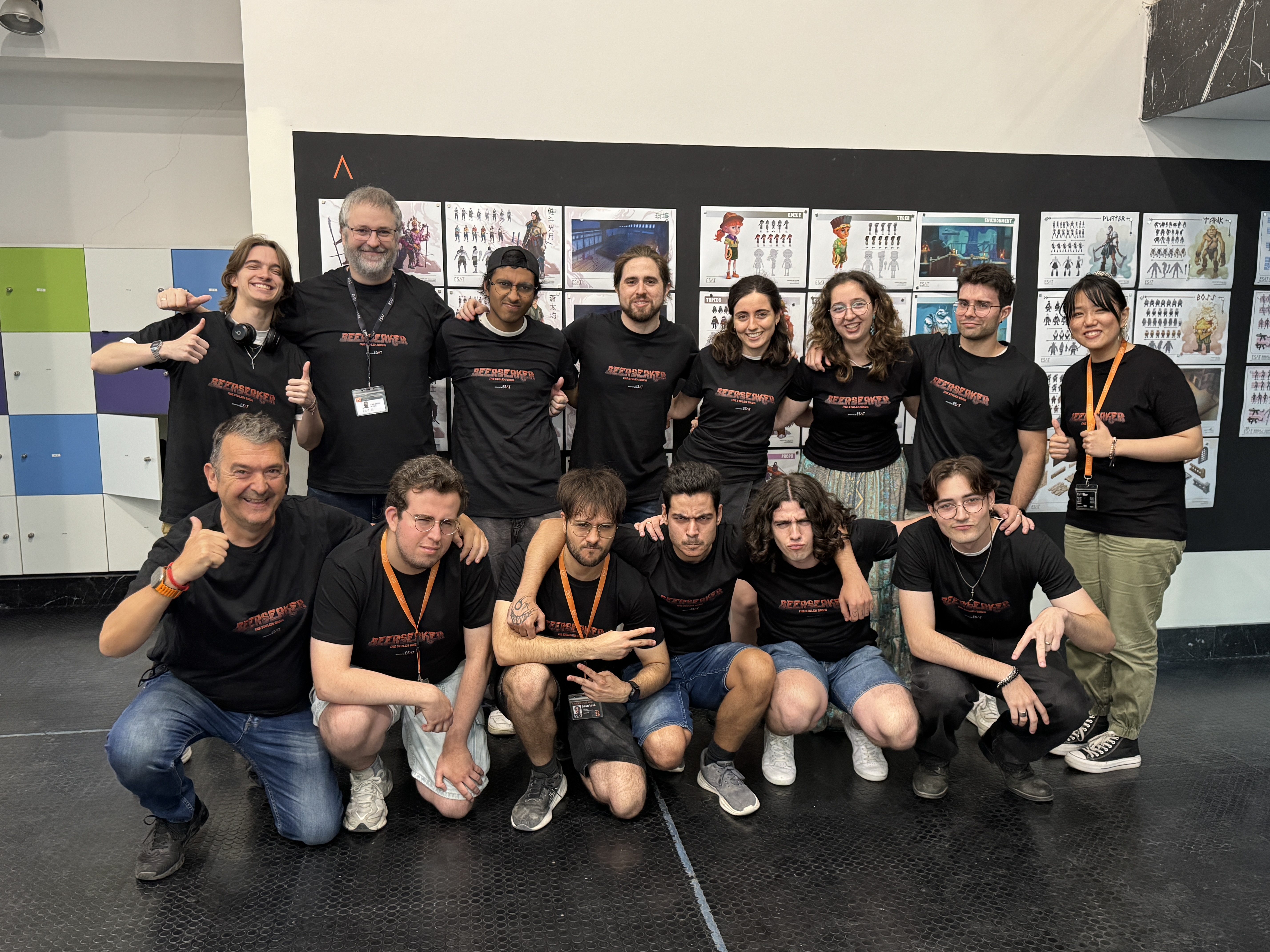
We are Grumpy Team, an indie development crew made up of final-year students from ESAT Valencia. Our team brings
together passionate artists, a game designer, musicians from Berklee, and programmers who share a common goal:
turning great ideas into
chaotic, fun experiences. Don't let our name fool you, we might get "grumpy" during late-night crunch hours, but
we pour our absolute hearts and humor into everything we build. Beerserker is our graduation project and the
ultimate proof of what we can do when we combine art, code, and a touch of madness.
Grumpy Team Members
Programmers: Juan José Valenzuela
Gómez, Fernando Fernández Andueza, Antonio Martínez
Brotons, Daniel Melero
Ferrer, Alexandre Tro Arribas, Juan Camilo Trujillo Zamora y Alessandro Acevedo Peña
Artists: Iris Bustamante Ruiz, María Chanzá Valero, María Dávila Egea y Alejandro Sánchez
Navarro. Con
agradecimientos especiales a Casandra Cañete Lara
Designer: Nicolás Sánchez García
Musicians: Tomas Borl, Elias Hafner, Sebastien Jospitre, Ilan Leventhal, June Oketch y Toby
Stone
// OTHER VIDEOS
Making Of
// work in progress
Behind the scenes of Beerserker: A breakdown of the development, design, and production process of our latest
title.
Pre-Production
A look into the pre-production phase of this viking-themed video game, developed by students at ESAT Valencia.
This project blends humor, action, and Norse mythology from the ground up, starting with our earliest design
decisions.
// 01 — gameplay showcase
Player Systems
Four core gameplay abilities have been implemented to shape the combat loop:
Melee Attack: Designed for tight, close-quarter combat situations. Ranged
Attack: Used to target distant enemies, apply stuns, and exploit mortar enemy
weaknesses. Dash: Provides arcade-style mobility, allowing the player to dodge incoming
attacks,
reposition, and land quick strikes. Beerserker Mode: The ultimate ability, used to knock back
surrounding enemies and
significantly buff the player's stats.
Melee
Ranged
Dash
Beerserker
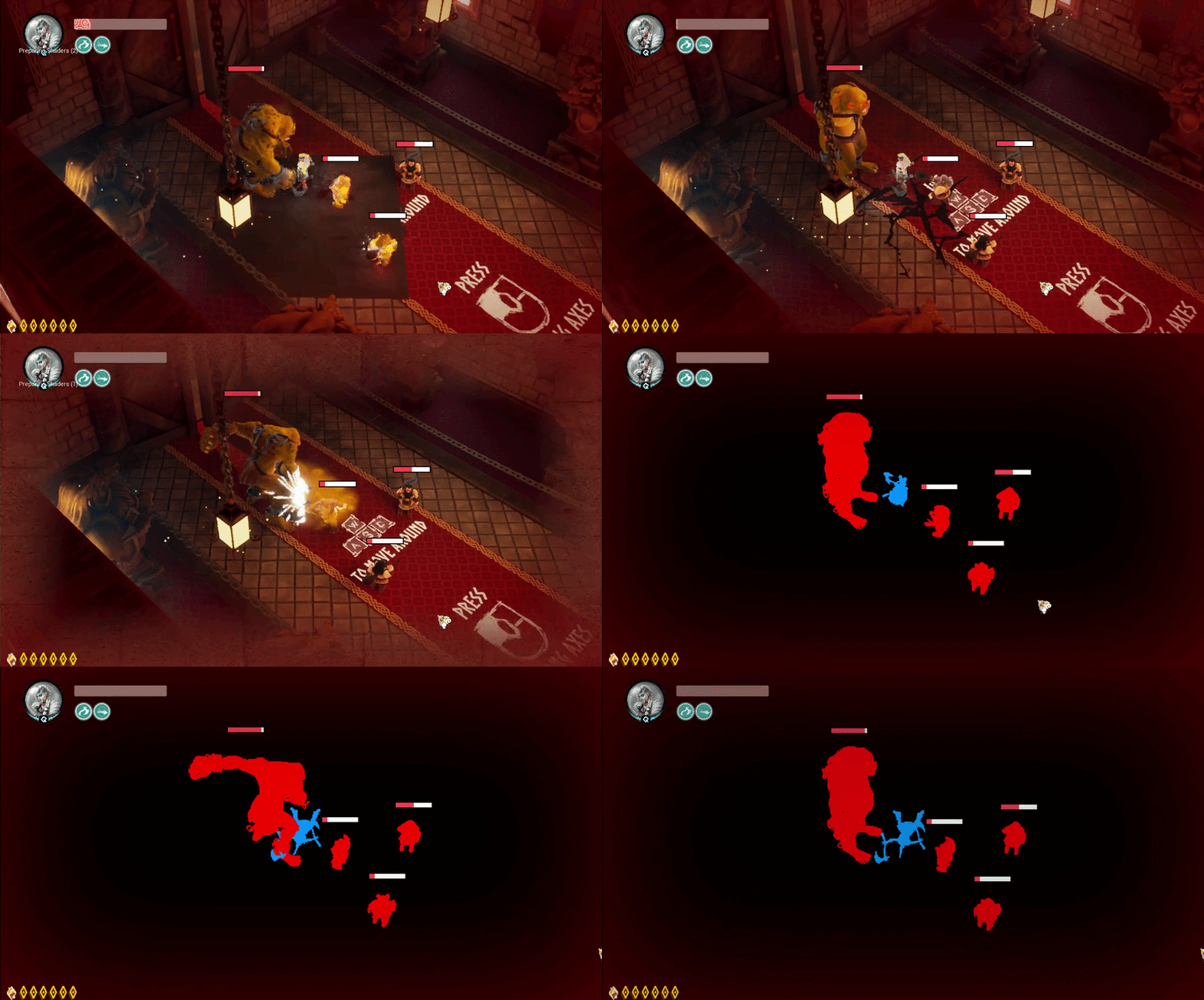
For the player's death sequence, we wanted a transition that felt dramatic, clean, and punchy. Inspired by the
iconic death sequence in Hades, we developed a custom post-processing effect. Upon defeat, the screen fades,
stripping away the environment's colors into a dark canvas: the player character is highlighted in a stark,
glowing blue, while enemies stand out in a threatening red. This high-contrast visual is followed by a seamless
fade-to-black and respawn transition, keeping the game's momentum going without breaking the flow.
Death Screen
// 02 — Chaos Destruction
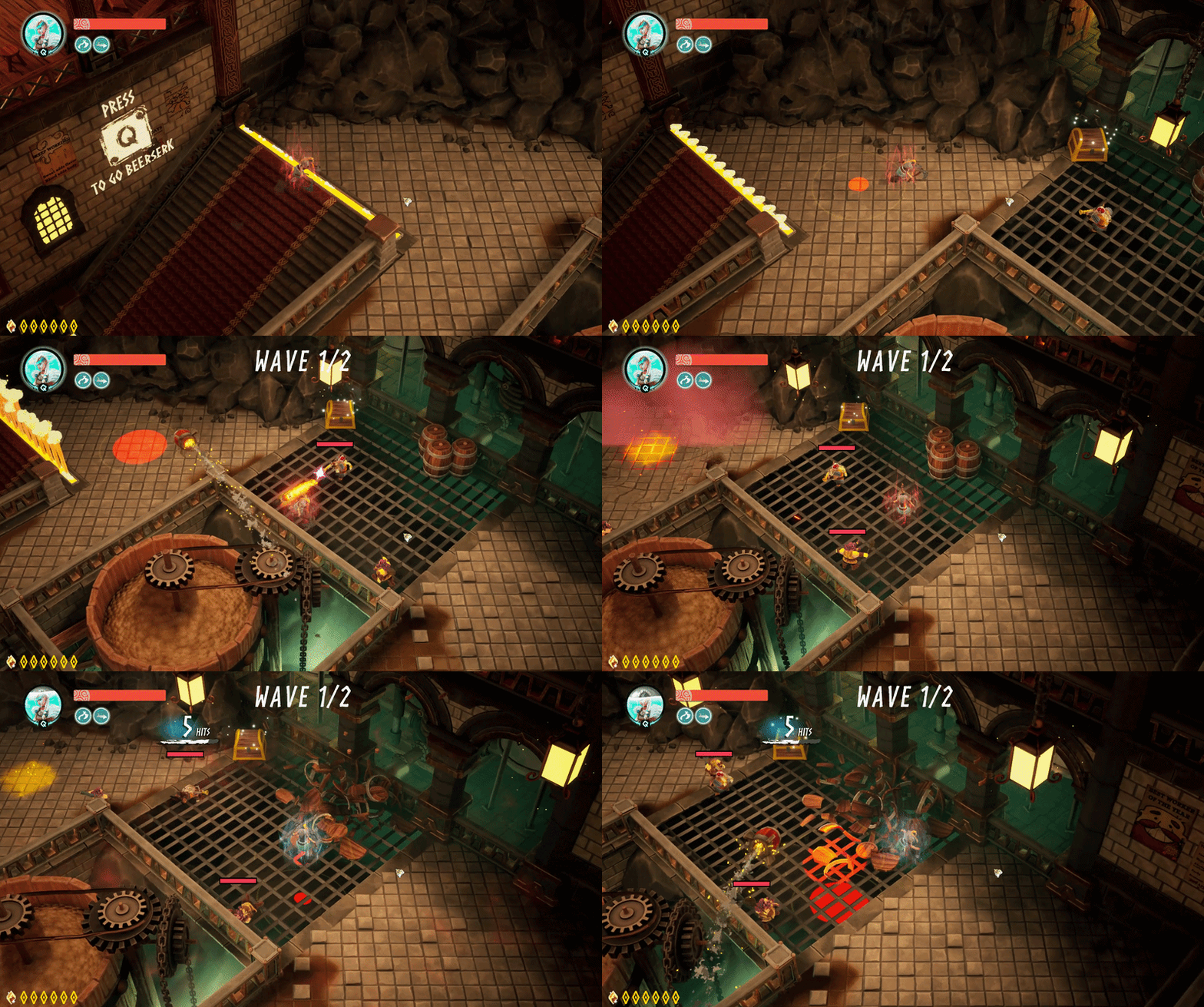
We developed a base class that implements a custom damage interface. When its health reaches zero, the object
shatters dynamically using Unreal Engine's Chaos Destruction system.
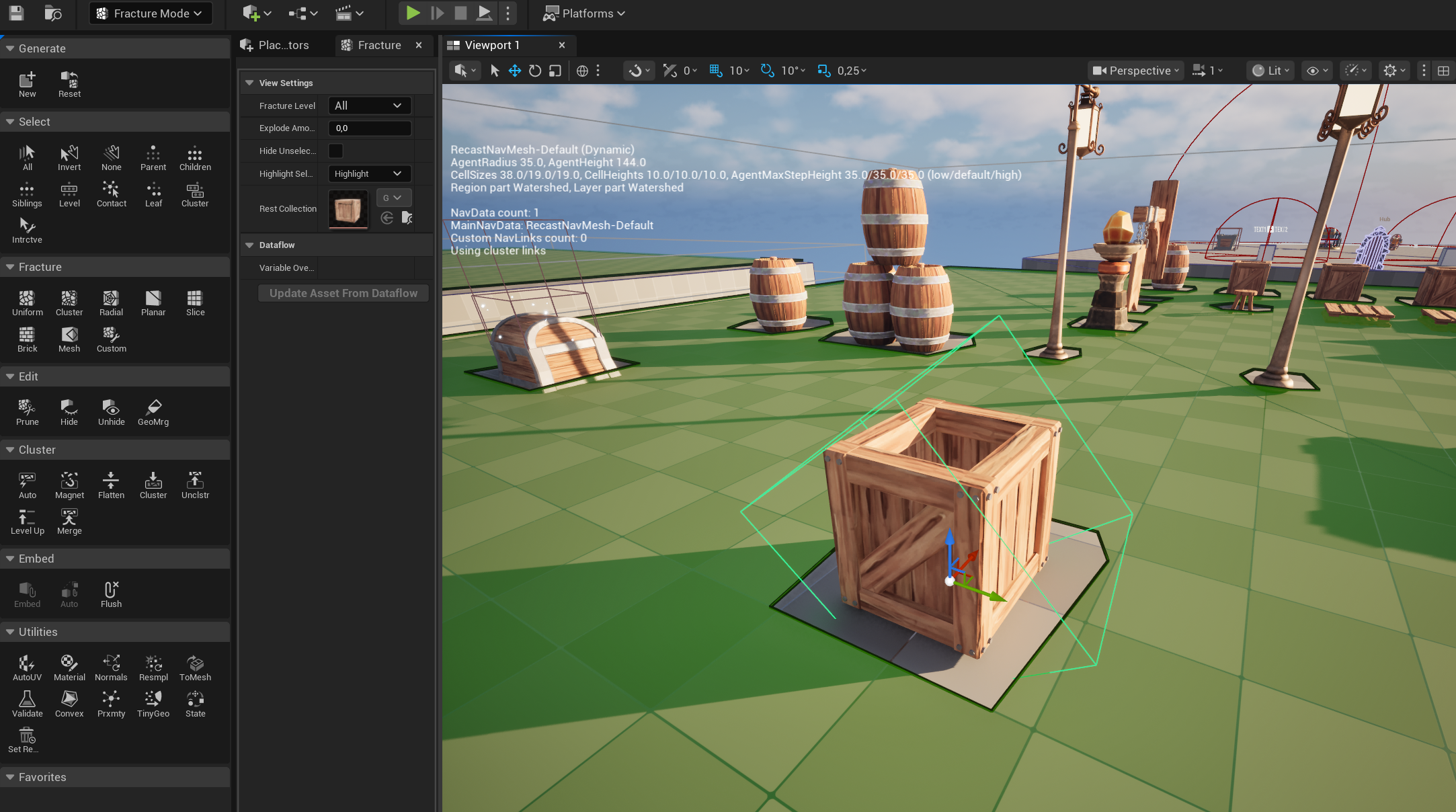
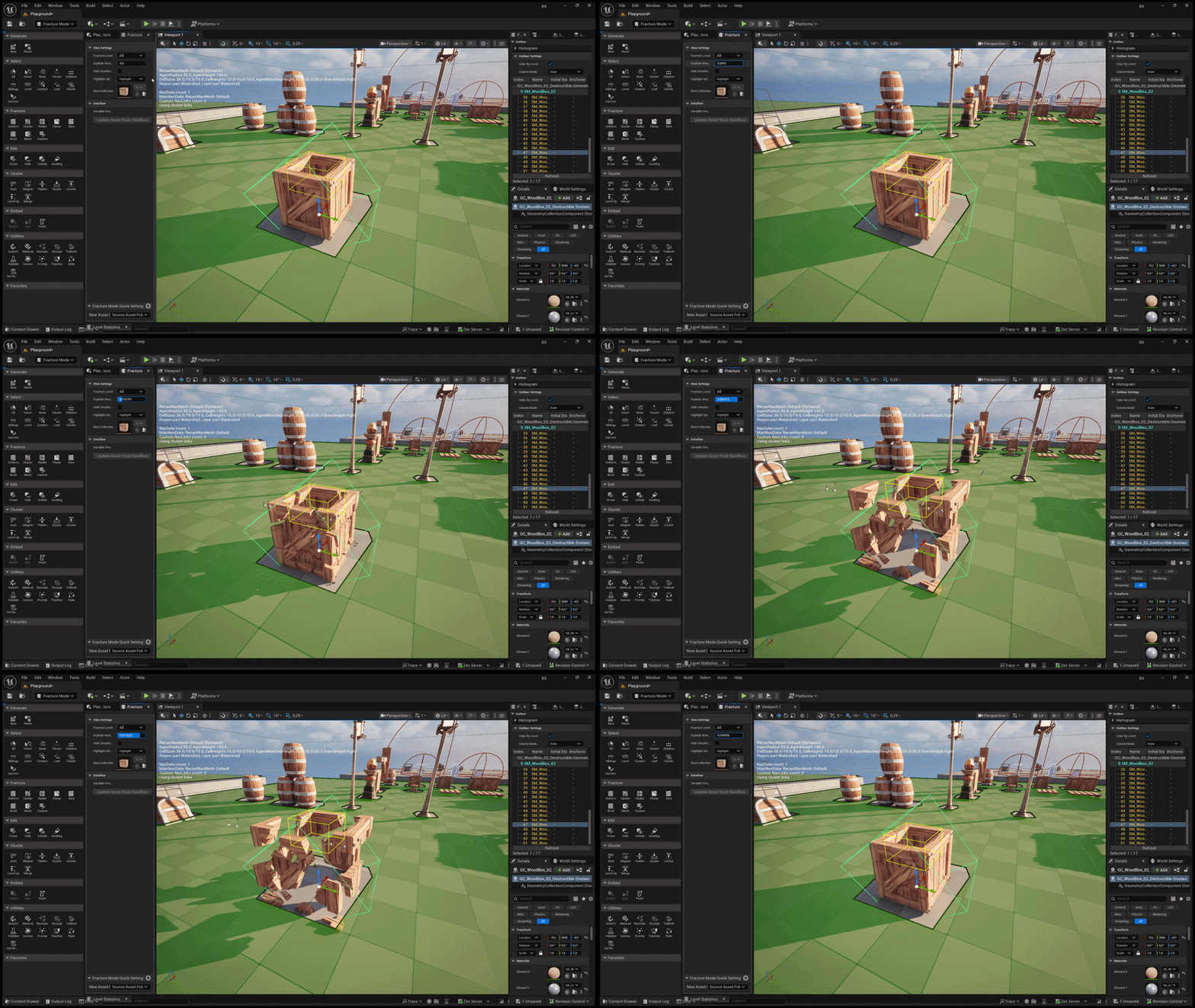
Geometry Collection
The process begins by converting our static meshes into Geometry Collections, preparing them
for real-time fracturing.
Geometry Collection
Levels of Destruction
Next, we fractured the geometry collection into multiple levels of detail to achieve the desired debris size
and realistic shattering behavior.
Fracture
Break
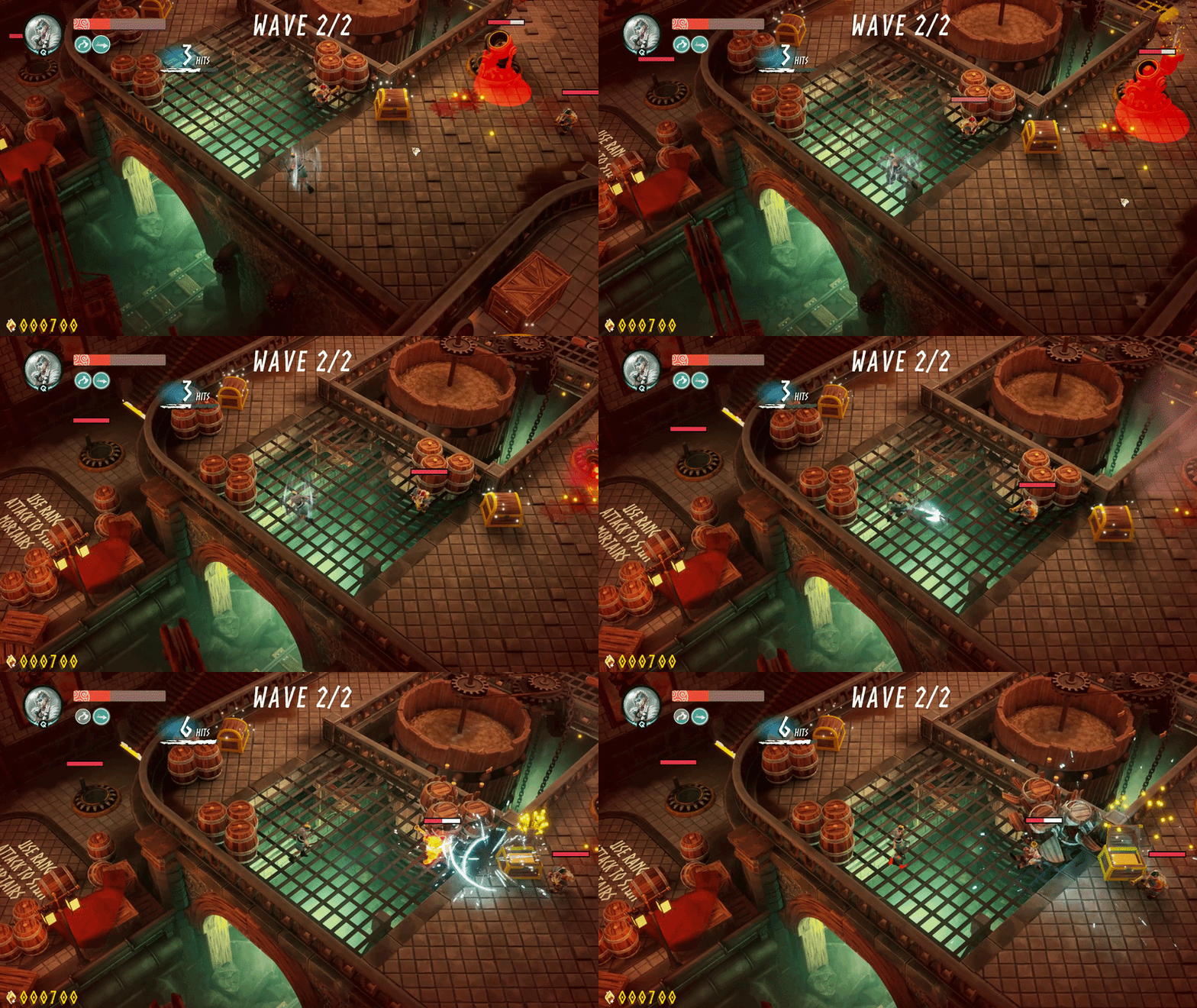
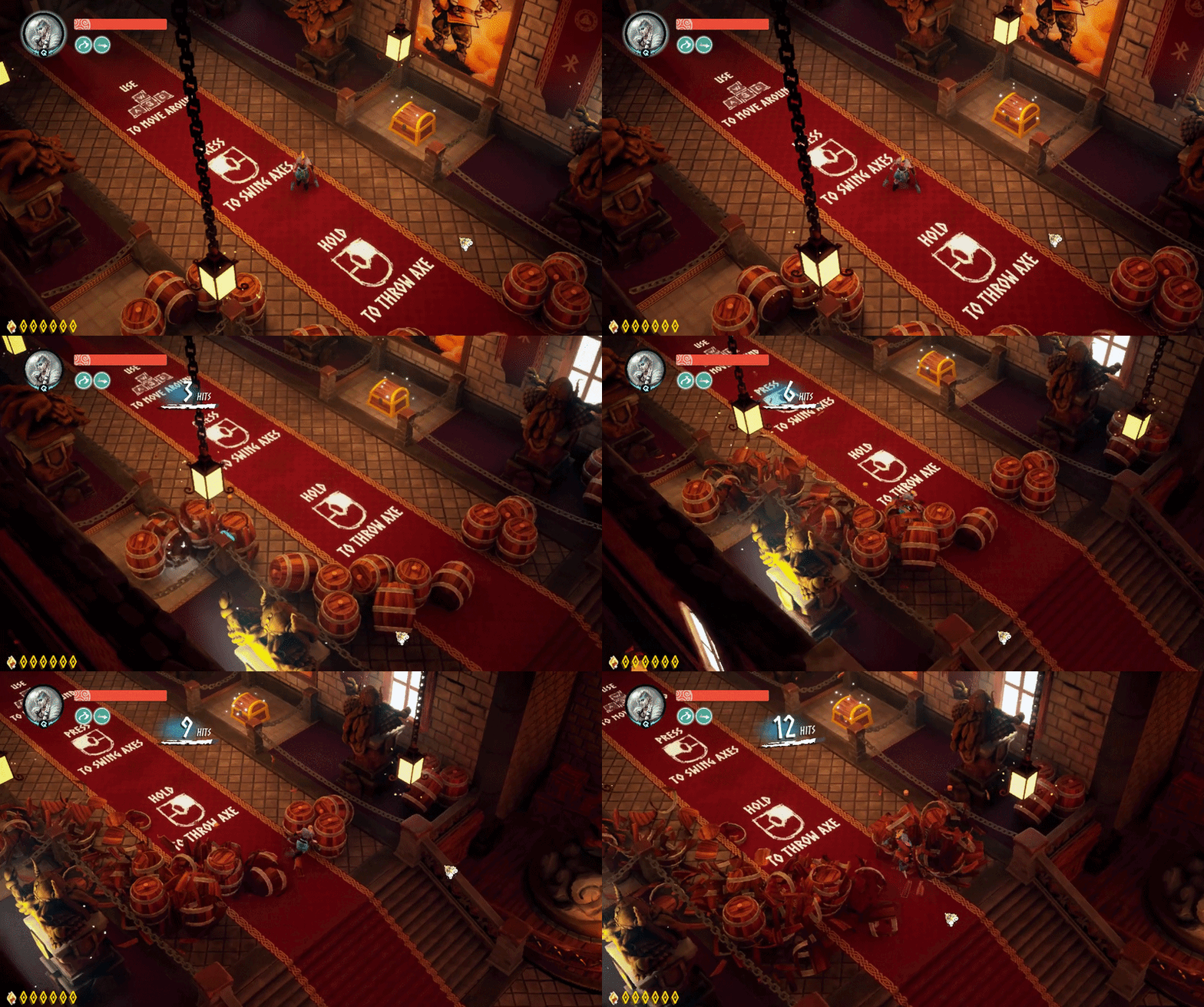
To trigger the destruction, we configured custom collision presets. When the player strikes a destructible
object, the system applies an external strain and a radial impulse, causing
the physics asset to explode outward realistically.
Destruction
// 03 — particles
Niagara Systems
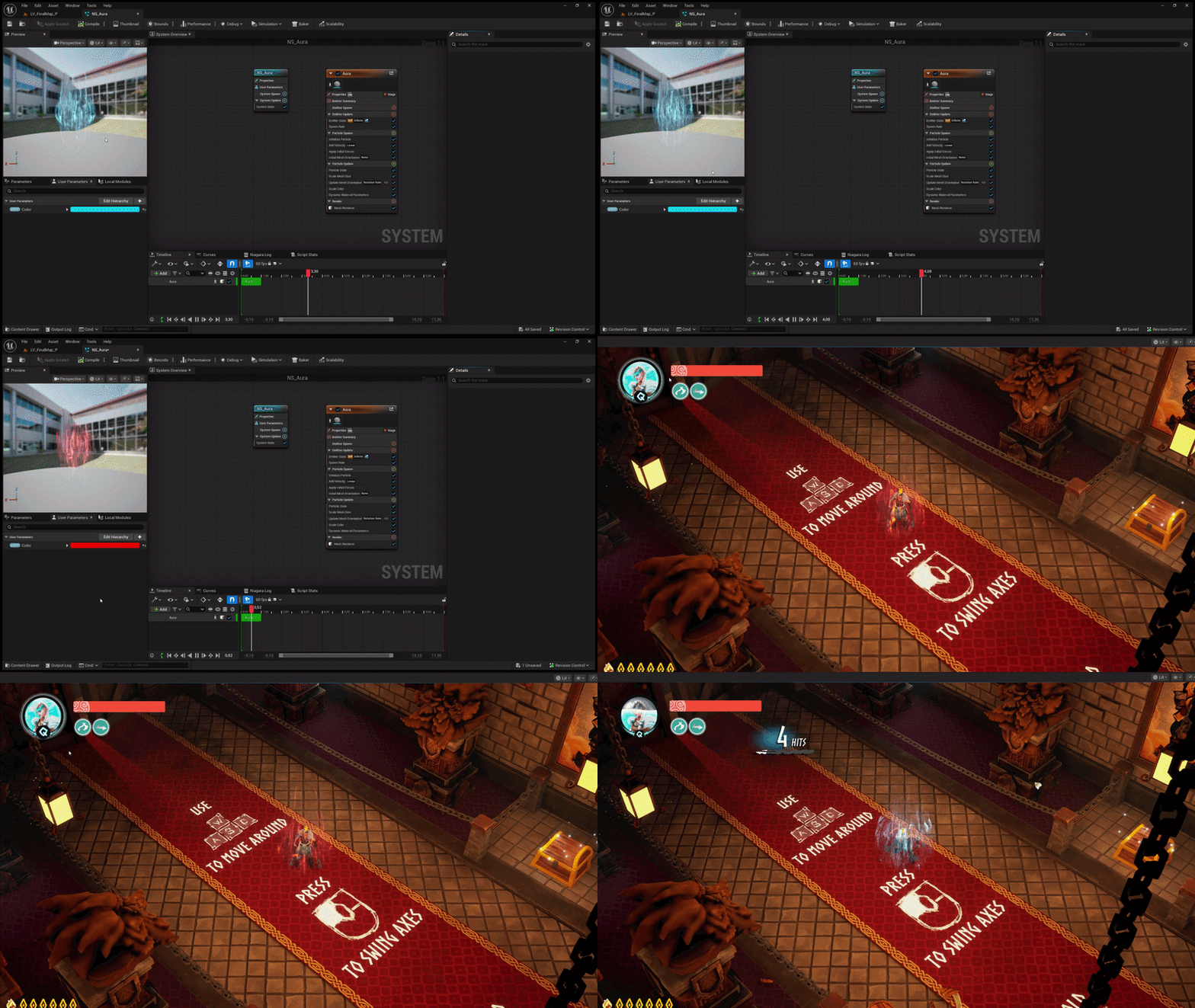
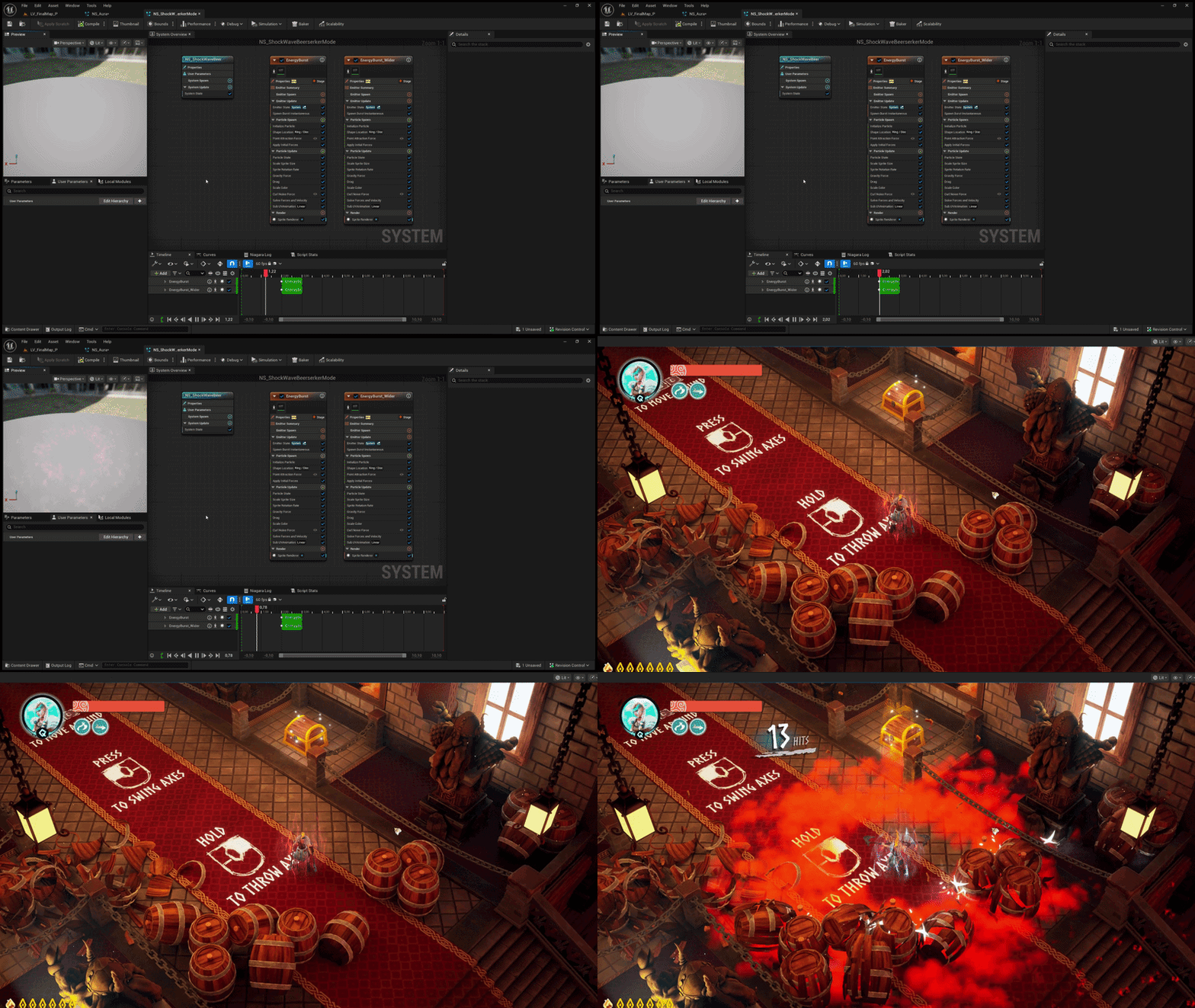
I designed and implemented two custom Niagara particle systems to support the ultimate ability: the Beerserker
Aura and the Beerserker Shockwave.
Beerserker Aura
Provides clear visual feedback, activating as an agressive red when the ultimate is fully charged, and
shifting
to a blue glow while the Beerserker mode is active.
Beerserker shockwave
An instantaneous burst effect triggered upon activation, visually representing the radial force that pushes
back nearby enemies and shatters destructible objects.
// 04 — challenges & solutions
Problems I Solved
⚠ Problem
Creating a dash that could pass through enemies and gaps in the floor, and go up and down ramps.
✓ Solution
With a team mate we decide to fire a capsule trace to check if the character can move to the next position,
verifying there's ground
beneath and no collisions ahead. If valid, move the character and fire another trace, repeating until the
dash's maximum distance is reached. If no ground is found, keep tracing until a valid position appears or
the distance runs out.
⚠ Problem
Creating objects that could be destroyed by the player.
✓ Solution
Used Unreal Engine 5's Chaos system, creating a Geometry Collection with the desired fracture pattern and a
destructible class to handle destruction events, applying external strain and
radial impulse. Managed the levels of fracture to prevent the player from colliding with
already-destroyed pieces.
⚠ Problem
Particle system optimization.
✓ Solution
Many particles used Transparent blending, which is fairly costly. Switching to
Masked significantly improved performance, while Transparent was kept for
particles that appear rarely and don't add a meaningful load.
⚠ Problem
A Hades-style death screen.
✓ Solution
Built two post-process effects: one rendering the player's silhouette in blue and another rendering
enemies' silhouettes in red, with everything else in black. Both activate on death, accompanied by a short
death scene.
// 06 — retrospective
What I Learned
01Working alongside a dedicated art and design team completely changed how I write code. Systems had to be
exposed through clean, artist-friendly parameters — a destructible object or a particle effect is only as
useful as the controls you give the person who isn't a programmer.
02Learning Chaos from scratch — Geometry Collections, fracture levels, external strain, radial impulse —
showed me how much of "destruction" is actually about controlling chaos rather than creating it: deciding
what
the player is allowed to break and when.
03Integrating animations taught me that gameplay code and animation work constantly pull against each
other.
Root motion, blend spaces and state machines only feel right when programmer and animator iterate together,
not in isolation.
04Touching materials — masked vs. transparent, instance parameters, dynamic material
instances — made clear how much performance and visual polish depend on decisions that live outside pure
gameplay code.
05On a bigger team, communication becomes a technical skill in itself. Naming conventions, clear commit
messages and documenting systems mattered as much as the systems themselves once other people depended on
them.
06Building a full game end to end — not a tech demo — showed me the real cost of features: a dash or a
destructible prop is easy in isolation, but every system has to survive contact with every other
system.
07Working at a professional scale, with real production constraints and deadlines, taught me to prioritize
ruthlessly — polishing what the player actually notices instead of what's technically interesting to
build.